
Golf Betting, Simplified
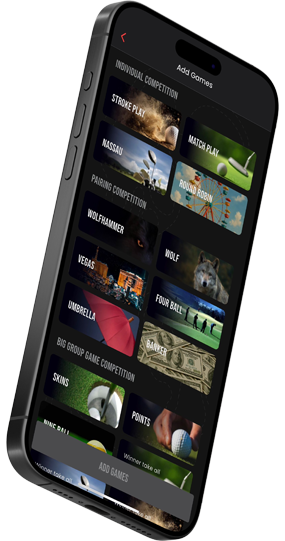
Individual Competition
Pairing Competition
These are games that are designed to be played inside your pairing as game decisions are ball and grouping specific.
Wolfhammer
Wolf
Vegas
Fourball
Umbrella/Scotch
Banker
Nineball
Big Group Game Competition
These are games that can be played over multiple pairings as a larger game or group of players.
Skins
Points
Four Ball Wheel
Bring the Fun Add On Competition
Snake
Rabbit
Steps to Create an Event (On-Course or Simulator)
1. Start an Event
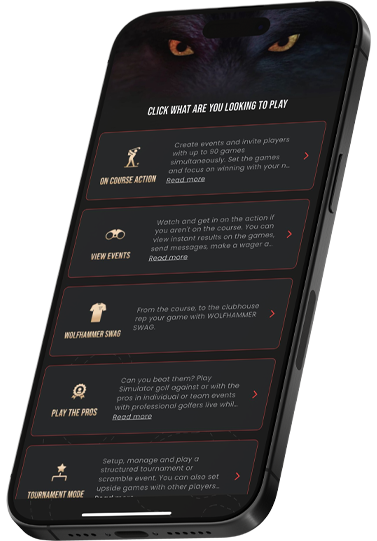
From the Home Screen, select On-Course Action, then tap Create Event at the bottom of the page.
2. Name & Schedule
Enter your event name, date, and start time so everyone knows when the action begins.
3. Choose Course & Tees
Select the golf course and tees for the event to ensure accurate scoring and handicap calculations.
4. Open the Event
Create the event, then tap the event name from your event list to begin building it.
5. Invite Players
Invite individual players or your entire custom group.
Players must accept their invite—or use Force Accept to instantly include them and continue setup.
6. Add Your Games
Choose the game(s) you want to play—up to 90 games per event.
Select the games, then tap Add Games.
7. Customize Games
Tap any game and select Edit Game to adjust:
Rules & formats
Betting options
Players & groupings
For large groups, create multiple games of the same type and assign players accordingly.
8. Launch the Event
Once everything is set, tap Launch Event to begin play.
9. Start Scoring
After launch, you’ll be taken to the Scorecard:
Use Score All if one person is scoring everyone
Use Setup Scoring for multiple pairings and scorekeepers
Each scorekeeper selects the players and games they’re responsible for.
You’re Live
With live scoring, automatic calculations, and real-time results, Wolfhammer Golf keeps your event running smoothly from the first tee to the final putt.
Adding A Promo Code
Have a promo code? Watch this quick video to see exactly where to enter it and how to apply it to your account.
Download Latest Version Of The App From